Transfer function calculators are indispensable tools for control system analysis, providing a convenient and efficient way to calculate and analyze transfer functions. These calculators simplify the process of understanding and designing control systems, making them accessible to engineers and students alike.
Transfer functions are mathematical representations of the relationship between the input and output of a system. They are used to analyze the stability, performance, and frequency response of control systems. Transfer function calculators enable users to quickly and accurately determine the transfer function of a system, allowing them to evaluate its behavior and make informed design decisions.
Transfer Function Definition and Representation
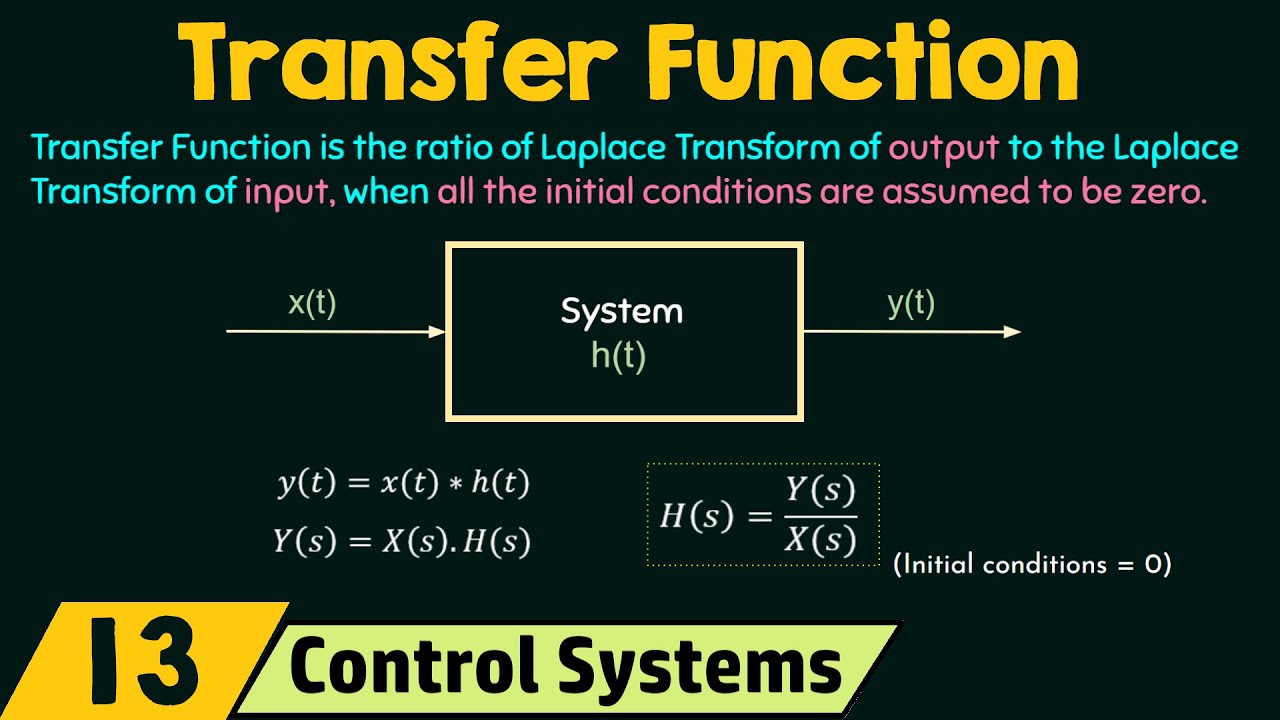
A transfer function is a mathematical representation of the relationship between the input and output of a system. It is used to analyze the behavior of systems in various fields, including control engineering, signal processing, and electrical engineering.Transfer functions can be represented in different forms, including:
-
-*Laplace transform
The Laplace transform is a mathematical operation that converts a time-domain function into a frequency-domain function. The transfer function in the Laplace domain is denoted by \(H(s)\), where \(s\) is the Laplace variable.
-*Frequency response
The frequency response of a system is a plot of the magnitude and phase of the transfer function as a function of frequency. It provides information about the system’s gain and phase shift at different frequencies.
-*State-space representation
The state-space representation of a system is a set of differential equations that describe the system’s behavior. The transfer function can be derived from the state-space representation.
Transfer functions can be classified into different types, including:
-
-*Linear time-invariant (LTI) transfer functions
LTI transfer functions are characterized by their linearity and time-invariance. They are commonly used to represent systems that are linear and do not change their behavior over time.
-*Nonlinear transfer functions
Nonlinear transfer functions are characterized by their nonlinearity. They are used to represent systems that exhibit nonlinear behavior, such as saturation, hysteresis, or dead zones.
-*Discrete-time transfer functions
Discrete-time transfer functions are used to represent systems that operate on discrete-time signals. They are commonly used in digital signal processing applications.
Transfer Function Calculator Usage
Transfer function calculators are valuable tools for engineers and students working with control systems. They simplify the process of calculating transfer functions and provide quick and accurate results.
To use a transfer function calculator, follow these steps:
- Input the system parameters:Enter the values for the system’s resistance, inductance, capacitance, and other relevant parameters.
- Select the transfer function type:Choose the type of transfer function you want to calculate, such as a Laplace transform or a frequency response.
- Calculate the transfer function:Click the “Calculate” button to generate the transfer function.
- Interpret the results:The calculator will display the transfer function in a graphical or numerical format. Analyze the results to understand the system’s behavior.
Online Transfer Function Calculators
Numerous online transfer function calculators are available, including:
- Transfer Function Calculator: https://www.electronics-tutorials.ws/filter/filter_calculator.html
- Control Systems Calculator: https://www.control-systems-engineers.com/transfer-function-calculator.html
- MATLAB Transfer Function Calculator: https://www.mathworks.com/help/control/ref/tf.html
Advantages of Using a Calculator
- Convenience:Calculators save time and effort by automating the calculation process.
- Accuracy:Calculators provide precise results, minimizing the risk of human error.
- Flexibility:Calculators can handle various transfer function types and system parameters.
Limitations of Using a Calculator
- Limited understanding:Calculators do not provide insights into the underlying principles of transfer function calculations.
- Reliance on input accuracy:The accuracy of the results depends on the accuracy of the input parameters.
- Potential for errors:Calculators can sometimes produce incorrect results due to software bugs or incorrect usage.
Applications of Transfer Function Analysis
Transfer function analysis plays a vital role in various engineering disciplines, particularly in control systems and signal processing. It provides a mathematical framework to analyze and design systems’ dynamic behavior.
In control systems, transfer functions are used to model the relationship between input and output signals. By analyzing the transfer function, engineers can determine the system’s stability, bandwidth, and other important characteristics. This information is crucial for designing control systems that meet specific performance requirements.
Signal Processing
In signal processing, transfer functions are used to design filters and other signal processing circuits. By manipulating the transfer function, engineers can control the frequency response of the circuit, allowing them to selectively pass or attenuate specific frequency components of a signal.
Real-World Examples
Transfer function analysis has numerous real-world applications, including:
- Audio Equalizers:Transfer functions are used to design audio equalizers, which allow users to adjust the frequency response of an audio system, enhancing or attenuating specific frequency bands.
- Control Systems:Transfer functions are used to design control systems for various applications, such as aircraft flight control, industrial automation, and robotics.
- Filters:Transfer functions are used to design filters for signal processing, removing unwanted frequency components from signals or isolating specific frequency bands.
Advanced Concepts in Transfer Function Analysis: Transfer Function Calculator

Transfer function analysis extends beyond the basic concepts of poles and zeros. It encompasses the study of frequency response and stability, providing a comprehensive framework for understanding the behavior of dynamic systems.
Poles and Zeros
Poles and zeros are critical points in the transfer function that influence the system’s stability and response. Poles represent the roots of the denominator polynomial, indicating where the system becomes unstable or oscillates. Zeros, on the other hand, are the roots of the numerator polynomial, representing frequencies where the system’s output is zero.
The location and number of poles and zeros determine the system’s overall behavior.
Frequency Response
Transfer functions can be used to analyze the frequency response of a system. By evaluating the transfer function at different frequencies, we can determine the system’s gain, phase shift, and other characteristics. This information is essential for understanding how the system responds to different input signals and for designing filters and control systems.
Stability Analysis, Transfer function calculator
Transfer functions are crucial for stability analysis. The stability of a system can be determined by examining the location of its poles. If all poles lie in the left-half of the complex plane, the system is stable. If any poles are in the right-half plane, the system is unstable.
Transfer function analysis provides a powerful tool for ensuring the stability of dynamic systems.
Closing Notes
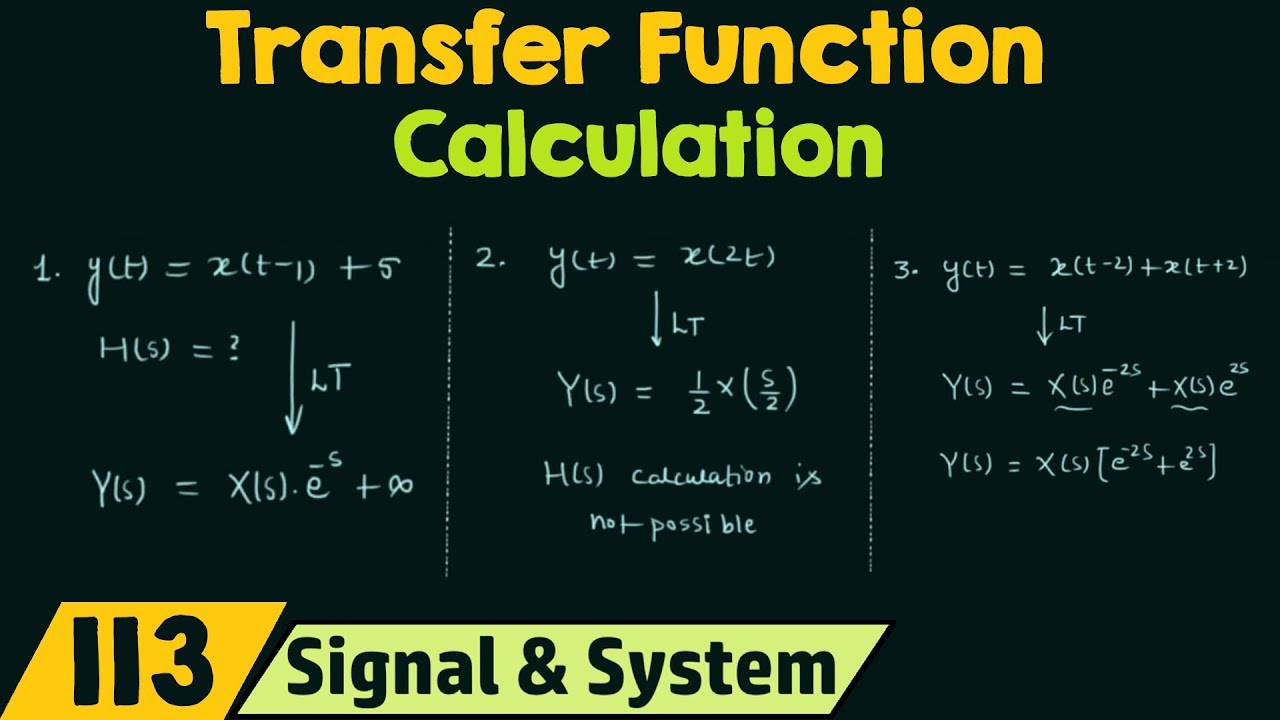
In summary, transfer function calculators are powerful tools that simplify the analysis and design of control systems. They provide a convenient and efficient way to calculate transfer functions, enabling engineers and students to gain a deeper understanding of system behavior and optimize their performance.