Introducing the completing square calculator, an indispensable tool that simplifies the process of solving quadratic equations. With its user-friendly interface and step-by-step guide, this calculator empowers users to tackle complex equations effortlessly, making it an invaluable asset for students, educators, and professionals alike.
The calculator’s advanced features and customization options enhance the user experience, providing a comprehensive solution for quadratic equation solving.
Completing Square Calculator Overview

A completing square calculator is an online tool that helps you solve quadratic equations by completing the square. Completing the square is a mathematical technique used to transform a quadratic equation into a perfect square trinomial, making it easier to solve for the unknown variable.
The calculator simplifies the process by performing the necessary algebraic steps automatically. You simply enter the coefficients of the quadratic equation (a, b, and c), and the calculator will provide you with the solution.
Benefits of Using a Completing Square Calculator
- Simplicity:The calculator automates the process of completing the square, making it accessible even for those with limited mathematical knowledge.
- Accuracy:The calculator eliminates the risk of human error, ensuring accurate solutions.
- Time-saving:The calculator performs the calculations quickly, saving you time and effort.
Limitations of Using a Completing Square Calculator
- Limited to quadratic equations:The calculator can only solve quadratic equations, not other types of equations.
- May not provide step-by-step solutions:Some calculators only provide the final solution, without showing the intermediate steps.
Step-by-Step Guide to Using the Completing Square Calculator
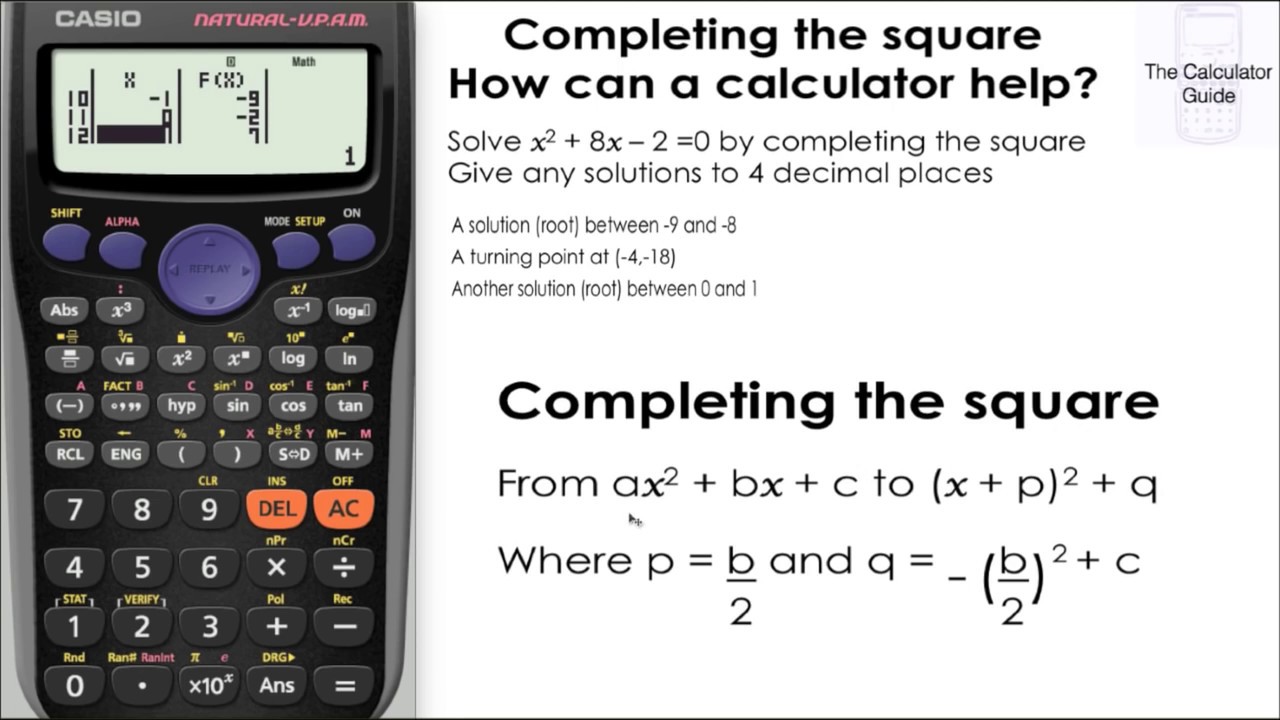
Using the Completing Square Calculator is a straightforward process that involves following a few simple steps. Whether you’re a student, a teacher, or a professional working with quadratic equations, this guide will provide you with clear instructions on how to use the calculator effectively.
Before we delve into the steps, let’s take a quick look at the calculator’s interface. The calculator consists of three main input fields:
- Coefficient of x 2(a)
- Coefficient of x (b)
- Constant (c)
Once you have entered the values of a, b, and c, the calculator will automatically generate the steps involved in completing the square for the given quadratic equation. The calculator will provide you with the following information:
- The value of h
- The value of k
- The completed square form of the quadratic equation
- The x-coordinate of the vertex
- The y-coordinate of the vertex
In addition to the above information, the calculator also provides a graphical representation of the quadratic equation, showing the parabola and its vertex. This visual representation can be helpful for understanding the behavior of the quadratic equation and for solving related problems.
Now that we have a basic understanding of the calculator’s interface and output, let’s walk through the steps on how to use the Completing Square Calculator:
Step 1: Enter the coefficients and constant
The first step is to enter the coefficients and constant of the quadratic equation into the calculator’s input fields. Make sure to enter the values in the correct order: coefficient of x 2, coefficient of x, and constant.
Step 2: Click the “Calculate” button
Once you have entered the values, click the “Calculate” button. The calculator will then generate the steps involved in completing the square and display the results.
Step 3: Review the results
The calculator will display the following information:
- The value of h
- The value of k
- The completed square form of the quadratic equation
- The x-coordinate of the vertex
- The y-coordinate of the vertex
You can also view a graphical representation of the quadratic equation by clicking on the “Graph” tab.
Step 4: Use the results, Completing square calculator
The results generated by the calculator can be used to solve related problems, such as finding the vertex of the parabola or determining the number of real solutions to the quadratic equation.
Troubleshooting tips
If you encounter any errors while using the Completing Square Calculator, here are some troubleshooting tips:
- Make sure that you have entered the coefficients and constant correctly.
- Check that the quadratic equation is in the correct form (ax 2+ bx + c = 0).
- If you are still having problems, try refreshing the page or using a different browser.
By following these steps and troubleshooting tips, you can effectively use the Completing Square Calculator to solve quadratic equations and gain a deeper understanding of their properties.
Applications and Examples
The Completing Square Calculator proves its worth in numerous real-world scenarios, offering an efficient and precise approach to solving quadratic equations. It simplifies complex calculations, making the process more accessible and intuitive.
Consider the equation x2– 6x + 8 = 0 . Solving this equation using traditional methods, such as factoring or the quadratic formula, can be time-consuming and prone to errors. However, with the Completing Square Calculator, the solution can be obtained with ease.
Simplifying Calculations
The calculator automates the process of completing the square, eliminating the need for manual manipulation of terms. By entering the coefficients of the quadratic equation, the calculator provides the completed square form, which is easier to solve.
For instance, using the calculator to complete the square for the equation x2– 6x + 8 = 0 yields (x- 3) 2– 1 = 0 . This simplified form can then be solved by taking the square root of both sides, resulting in x = 3 ± 1.
Enhancing Understanding
The calculator not only provides solutions but also aids in understanding the concept of completing the square. By visualizing the steps involved in the process, users can gain a deeper comprehension of the technique and its applications.
The calculator allows users to input equations and observe how the coefficients are manipulated to complete the square. This interactive approach fosters a deeper understanding of the mathematical operations and their impact on the solution.
Advantages over Traditional Methods
Compared to traditional methods, the Completing Square Calculator offers several advantages:
- Simplicity:The calculator automates the process, eliminating the need for complex manual calculations.
- Accuracy:The calculator provides precise solutions, minimizing the risk of errors associated with manual calculations.
- Efficiency:The calculator significantly reduces the time required to solve quadratic equations, freeing up time for other tasks.
- Enhanced Understanding:The calculator aids in visualizing the steps involved in completing the square, promoting a deeper understanding of the concept.
Advanced Features and Customization
The Completing Square Calculator offers a range of advanced features and customization options to enhance the user experience and expand its capabilities. These features allow users to tailor the calculator to their specific needs and preferences.
One of the most notable advanced features is the ability to choose the factoring method. Users can select between the standard method, which is suitable for most quadratic equations, and the AC method, which is more efficient for equations where the coefficient of the x 2term is not 1. This customization option empowers users to optimize the factoring process based on the specific equation they are working with.
Customizable Output Format
The calculator also provides users with the flexibility to customize the output format. They can choose to display the result in either factored or expanded form. The factored form presents the quadratic equation as a product of two linear factors, while the expanded form shows the equation in standard quadratic form (ax 2+ bx + c = 0). This customization option allows users to view the result in the format that best suits their needs and preferences.
Additional Settings
In addition to these core advanced features, the calculator offers a range of additional settings to further enhance its functionality. Users can adjust the number of decimal places displayed in the result, enabling them to control the precision of the solution.
They can also choose to display intermediate steps in the factoring process, providing a detailed breakdown of each step involved in solving the equation. These additional settings empower users to tailor the calculator’s behavior to their specific requirements and preferences.
Last Word
In conclusion, the completing square calculator is an essential tool that revolutionizes the way quadratic equations are solved. Its ease of use, accuracy, and versatility make it a must-have for anyone seeking to simplify and enhance their understanding of these equations.