
Unleash the power of data analysis with our Stem and Leaf Plot Calculator! This interactive tool empowers you to effortlessly create and interpret stem and leaf plots, unlocking insights hidden within your datasets.
Stem and leaf plots, a powerful graphical representation of data, provide a clear and concise visual summary, making them an invaluable tool for researchers, students, and professionals alike.
Understanding Stem and Leaf Plots
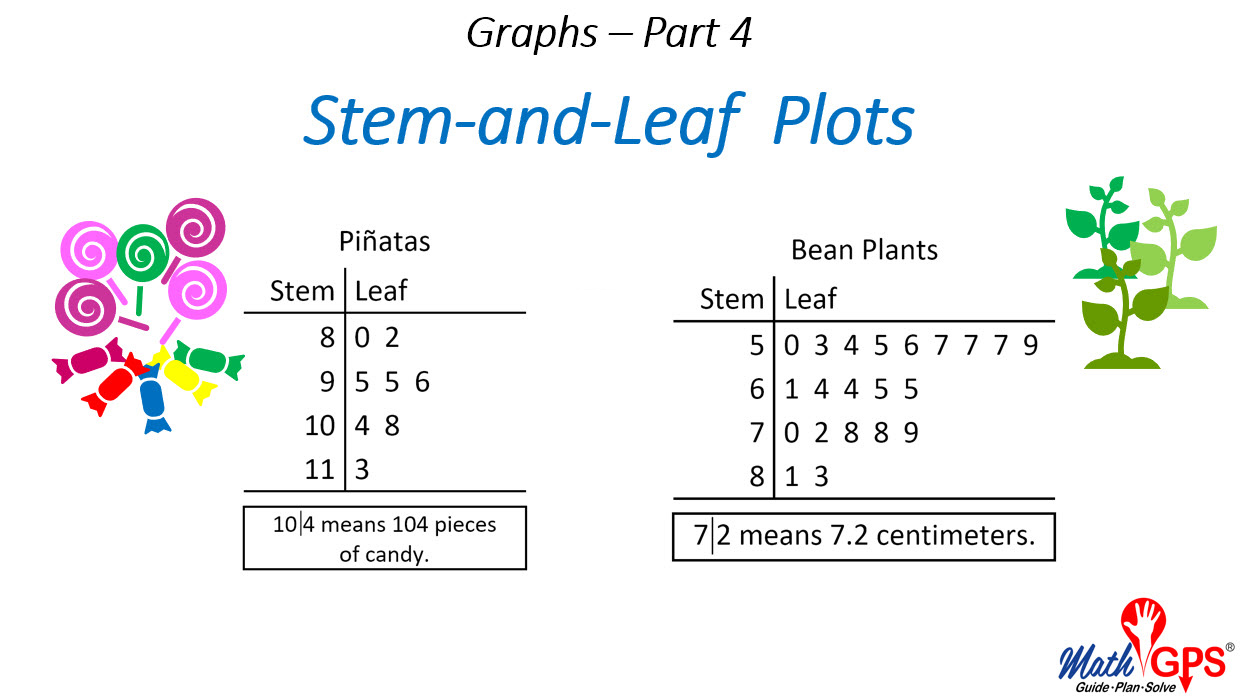
Stem and leaf plots are a type of data visualization that displays the distribution of data values. They are created by dividing each data value into two parts: the stem (the leftmost digits) and the leaf (the rightmost digit). The stems are then arranged in ascending order, and the leaves are plotted to the right of their corresponding stems.
Stem and leaf plots are a simple and effective way to visualize the distribution of data. They can be used to identify outliers, gaps, and clusters in the data. They can also be used to compare different data sets.
Advantages of Using Stem and Leaf Plots
- Stem and leaf plots are easy to create and interpret.
- They can be used to identify outliers, gaps, and clusters in the data.
- They can be used to compare different data sets.
- They are a good choice for small data sets.
Disadvantages of Using Stem and Leaf Plots
- Stem and leaf plots can be difficult to read for large data sets.
- They can be misleading if the data is not evenly distributed.
- They can be difficult to compare data sets with different ranges.
Creating Stem and Leaf Plots
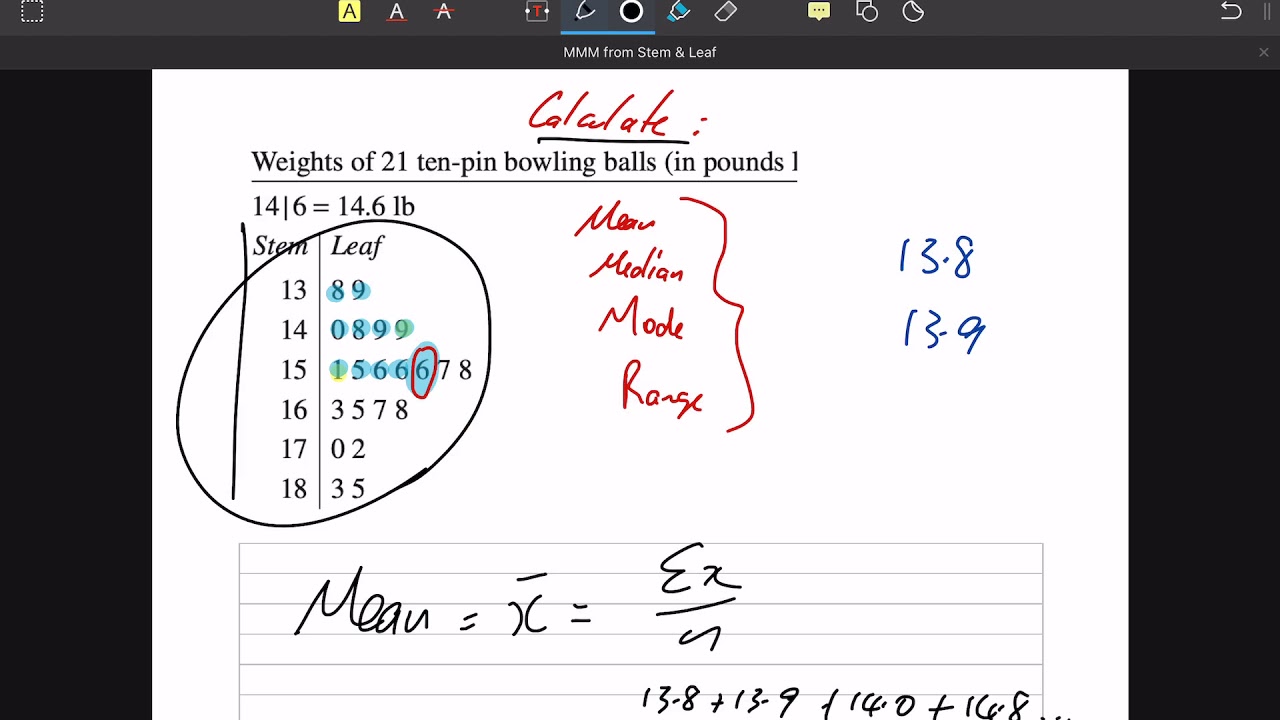
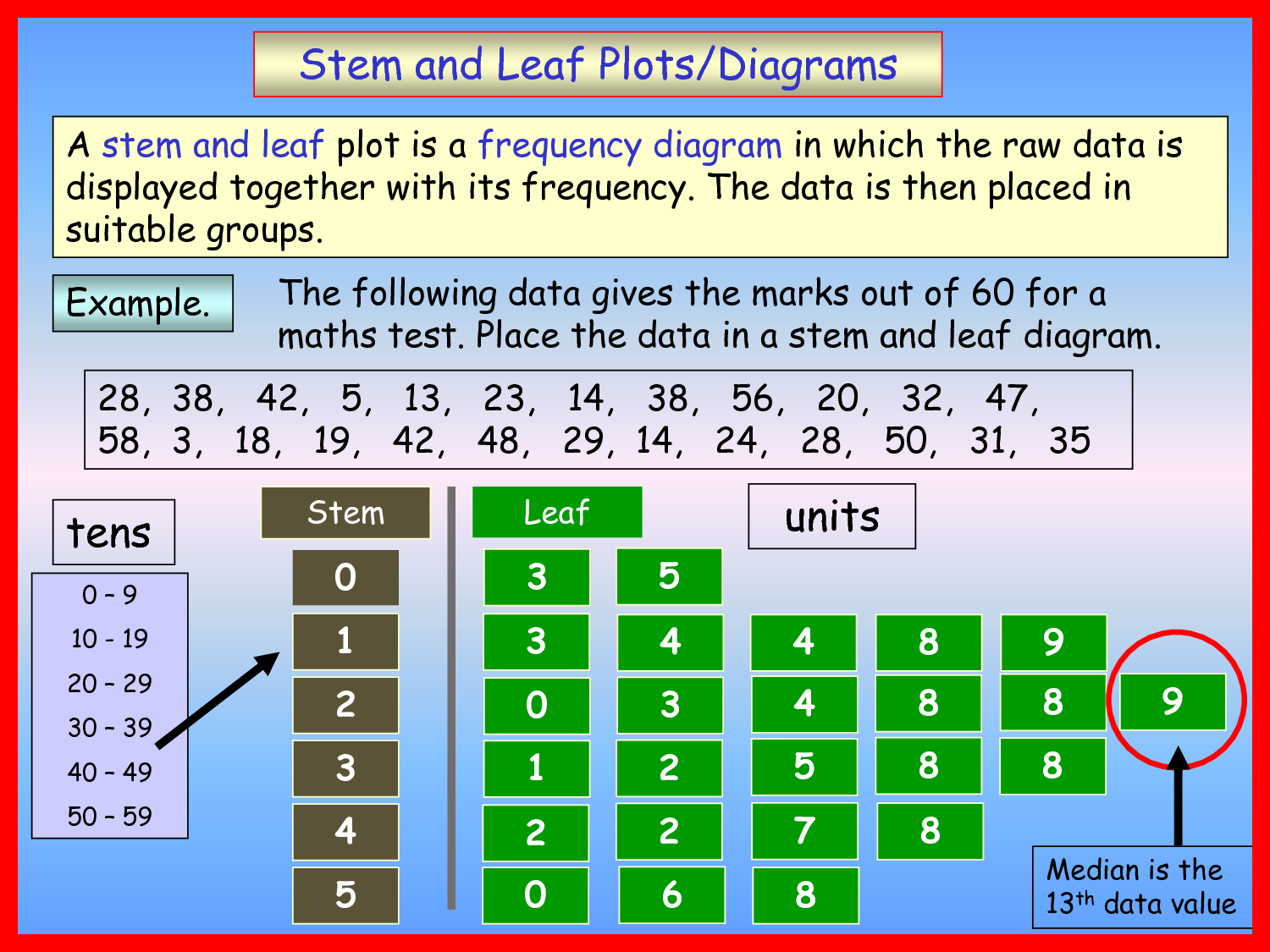
Creating stem and leaf plots is a straightforward process that involves organizing data into a visual representation. By following these steps, you can create an effective stem and leaf plot that clearly displays the distribution of data.
Here’s a step-by-step guide with illustrations:
1. Order the Data
The first step is to order the data from smallest to largest. This will help you identify the stems and leaves.
- For example, if you have the following data: 15, 22, 18, 25, 19, 20, 23, 21
- Order the data: 15, 18, 19, 20, 21, 22, 23, 25
2. Determine the Stems and Leaves
Once the data is ordered, you need to determine the stems and leaves. The stem is the leftmost digit of each data value, and the leaf is the rightmost digit.
- For example, for the data value 23, the stem is 2 and the leaf is 3.
3. Create the Stem and Leaf Plot
To create the stem and leaf plot, list the stems vertically. Then, for each stem, write the corresponding leaves in ascending order.
- For the example data, the stem and leaf plot would look like this:
| Stem | Leaves |
|---|---|
| 1 | 5, 8, 9 |
| 2 | 0, 1, 2, 3, 5 |
Tips for Creating Effective Stem and Leaf Plots, Stem and leaf plot calculator
- Choose an appropriate scale for the stems and leaves. The scale should be small enough to show the distribution of data clearly, but large enough to avoid overcrowding.
- Use a consistent format for the stems and leaves. This will make the plot easier to read and interpret.
- Add a title and labels to the plot. This will help identify the data being represented and the units of measurement.
Using Stem and Leaf Plots for Data Analysis
Stem and leaf plots are a powerful tool for analyzing data. They can help you to identify patterns and trends in your data, and to make inferences about the population from which your data was drawn.
To analyze data using a stem and leaf plot, you first need to create the plot. Once you have created the plot, you can then look for patterns and trends in the data. Some of the most common patterns and trends that you can identify in stem and leaf plots include:
- Center:The center of the data is the median, which is the middle value in the data set. The median can be found by locating the value that divides the data set in half, with half of the values being above the median and half being below.
- Spread:The spread of the data is the range, which is the difference between the largest and smallest values in the data set. The range can be used to measure the variability of the data.
- Shape:The shape of the data is the distribution, which describes how the data is spread out. The distribution can be symmetric, skewed, or uniform.
- Outliers:Outliers are values that are significantly different from the rest of the data. Outliers can be caused by errors in data collection or by the presence of unusual values in the population.
Stem and leaf plots can be used in a variety of real-world scenarios. For example, stem and leaf plots can be used to:
- Analyze test scores to identify students who are struggling.
- Compare the sales of different products to identify which products are selling the best.
- Track the progress of a project to identify areas where the project is falling behind schedule.
Stem and leaf plots are a versatile tool that can be used to analyze data in a variety of ways. By understanding how to analyze data using stem and leaf plots, you can gain valuable insights into your data and make better decisions.
Creating Stem and Leaf Plots Using Technology
Technology offers various tools and software that simplify the creation of stem and leaf plots. These tools automate the process, saving time and effort while ensuring accuracy.
Software and Online Tools
- Microsoft Excel:Excel’s Data Analysis Toolpak includes a stem-and-leaf plot function that generates plots from numerical data.
- Google Sheets:Google Sheets provides an add-on called “Stem and Leaf Plot” that creates interactive plots with customization options.
- RStudio:RStudio, a statistical software, offers the “stem” function to create stem and leaf plots with various graphical options.
- Online Stem and Leaf Plot Generators:Websites like stemandleafplot.com and calculator.net provide online tools for creating stem and leaf plots from user-input data.
How to Use These Tools
Using these tools is generally straightforward. Here are some steps:
- Input Data:Enter the numerical data into the software or online tool.
- Choose Options:Specify any options or customizations, such as the number of stems or the gap between stems.
- Generate Plot:Click the button or run the function to generate the stem and leaf plot.
- Interpret Results:Analyze the plot to understand the distribution and central tendencies of the data.
Benefits of Using Technology
- Automation:Technology automates the plot creation process, saving time and effort.
- Accuracy:Software tools ensure accurate calculations and plotting.
- Customization:Some tools offer customization options to tailor the plot to specific needs.
- Sharing:Online tools allow for easy sharing of plots with others.
Limitations of Using Technology
- Understanding Required:Users need to have a basic understanding of stem and leaf plots to interpret the results.
- Data Limitations:Some tools may have limitations on the amount or type of data that can be plotted.
- Overreliance:Relying solely on technology may hinder the development of manual plot creation skills.
Final Wrap-Up: Stem And Leaf Plot Calculator
With our Stem and Leaf Plot Calculator, data visualization becomes a breeze. Whether you’re exploring patterns, identifying trends, or simply gaining a deeper understanding of your data, our calculator empowers you to make informed decisions and communicate your findings with clarity.
